
Ready to get started?
Easily integrate next-generation payments and financial data into any app. Build powerful products your customers love.
SHARE ARTICLE


 Share link copied!
UK businesses accept six main online payment methods: debit and credit cards, digital wallets such as Apple Pay and Google Pay, Pay by Bank through open banking, Paypal, buy now pay later, and direct bank transfer. Cards remain the most used and the most expensive. With Atoa, Pay by Bank costs from 0.7% + VAT and settles in seconds.
A customer reaches your checkout at 9.40pm with a basket worth £180. The card option is there, but their card is in the other room; the wallet option needs a device they are not on; and they are not going to type sixteen digits into a phone in bed. Whether that sale completes depends on whether you offer the way they actually want to pay. That is the whole reason to think about online payment methods rather than defaulting to whatever your platform switched on. There are more ways to pay online than most checkouts offer, and the gap between the two is where sales quietly go missing.
The UK is well served. UK Finance reports that debit cards remain the most-used payment method in the country and cash has fallen to roughly one in ten payments, while Open Banking Limited confirmed in July 2026 that the UK has passed one billion cumulative open banking payments and 100 billion API calls, with June 2026 alone running 40.16 million payments.. Shoppers are comfortable with several methods; the job is to pick the right mix for your customers and your margins. This guide covers the main options, what each costs, how fast you get paid, and how to decide.
Main Online Payment Methods in the UK
UK shoppers have several ways to pay online, and the right mix depends on what you sell and how your customers prefer to pay. Most ecommerce checkouts combine familiar options such as:
Debit and credit cards
Cards are a familiar choice for UK shoppers and work across almost every ecommerce checkout. The cost to the retailer can vary depending on the card, customer location and payment provider. Card payments also come with chargeback rules, so the final cost involves more than the headline transaction fee.
Digital wallets
Apple Pay and Google Pay make card payments quicker, particularly on mobile. Customers can use payment details already saved to their device and authenticate with methods such as Face ID or a fingerprint. For the retailer, the underlying transaction is still a card payment, so card processing fees and settlement terms apply.
Pay by Bank (Open Banking)
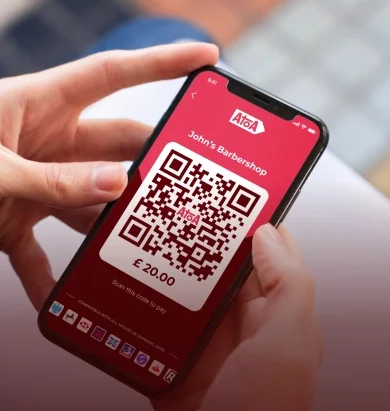
Pay by Bank lets customers pay directly from their bank account. They choose their bank at checkout, authenticate through their banking app and approve the payment without entering card details. Payments use bank payment rails rather than card networks, so there are no card-scheme chargebacks.
PayPal
PayPal gives customers another familiar way to pay without entering their card details directly into each retailer’s checkout. Its fees, settlement arrangements and dispute process differ from standard card acquiring, so retailers should compare these alongside customer demand before adding it.
Buy Now, Pay Later (BNPL)
BNPL services let eligible customers delay payment or divide a purchase into instalments. They are often considered for higher-value baskets, but retailers should look at provider fees, eligibility, refund handling and how the option fits their typical order value.
Direct bank transfer
A traditional bank transfer asks the customer to manually send money using the retailer’s bank details. Processing costs can be low, but matching incoming transfers to individual orders can create extra work. Pay by Bank removes much of this manual journey by initiating the bank payment from the checkout and linking it to the transaction.
There is no single online payment method that suits every purchase. Cards and wallets provide familiarity, Pay by Bank offers a direct account-to-account option, BNPL can spread the cost of larger purchases, and bank transfers still work for some invoice-led sales. For retailers, the useful comparison is cost, customer experience, settlement, disputes and reconciliation, rather than the number of payment methods shown at checkout.
What Online Payment Methods UK Shoppers Use
It’s cardinal to understand the the existing online payment methods and which among them do your customers use often decides the mix.
Cards still carry most of the volume in transaction. UK Finance has debit cards as the most-used payment method in the country, with cash down to roughly one in ten payments. Digital wallets sit on top of that rather than beside it, because a wallet payment is a card payment underneath.
Open banking is the one that has changed shape of transactions the fastest. The UK ran 40.16 million open banking payments in June 2026 alone and passed one billion in total the following month. That is still a small share of all online payments, but it is the only method growing at that rate, and the businesses adopting it early are the ones with the most to save on fees.
Comparison of Online Payment Methods
| Method | Typical fee to the business | When you get paid | Chargebacks | Best for |
|---|---|---|---|---|
| Debit and credit cards | 1.5% to 3.4% all-in | 1 to 3 working days | Yes | Universal acceptance |
| Digital wallets | Same as your card rate | Same as cards | Yes | Fast mobile checkout |
| Pay by Bank with Atoa | From 0.7% + VAT | Seconds | No | Lower fees, higher-value orders, instant confirmation |
| PayPal | Around 2.9% + fixed fee | Instant to PayPal balance | Disputes via PayPal | Marketplaces, buyer-protection shoppers |
| Buy now, pay later | Merchant fee set by provider | Provider pays you up front | Provider handles | Higher baskets, spreading cost |
| Direct bank transfer | None | When the customer gets round to it | No | Invoices where speed does not matter |
Card, wallet and PayPal fees vary by provider, card type and volume; check your own statement rather than the headline rate.
How to Choose the Right Mix of Online Payment Options
Most UK businesses need three things at the online checkout: cards because everyone has one, a wallet because mobile shoppers expect one, and Pay by Bank because it is the lowest-fee route and the customer does not need a card to hand. Add PayPal if your customers are used to it, and Pay Later if your average order is high enough for instalments to lift conversion.
Take a business doing £600,000 of online sales a year. Moving a third of that, so £200,000, from a 2.5% card rate to Pay by Bank at 0.7% + VAT takes the cost on those orders from £5,000 to £1,680. That is £3,320 back in the business, with the money arriving in seconds rather than days, and nothing changes for the customers who still want to use a card. Look at your transaction volume, your average basket, how quickly you need the cash, and whether you sell to consumers or to other businesses, where invoice-based Pay by Bank links often replace card entirely.
Watch the “free” trap too. Methods with no setup fee usually cost more per transaction, and freemium gateway plans tend to raise fees or cap features as you grow. The number that matters is total cost per £100 of sales, including fixed pence per transaction, chargeback fees and any monthly platform charge.
Online Payment Methods for Invoices and B2B Sales
Everything above assumes a checkout. If you invoice other businesses, the choice narrows to three options and they trade off against each other sharply.
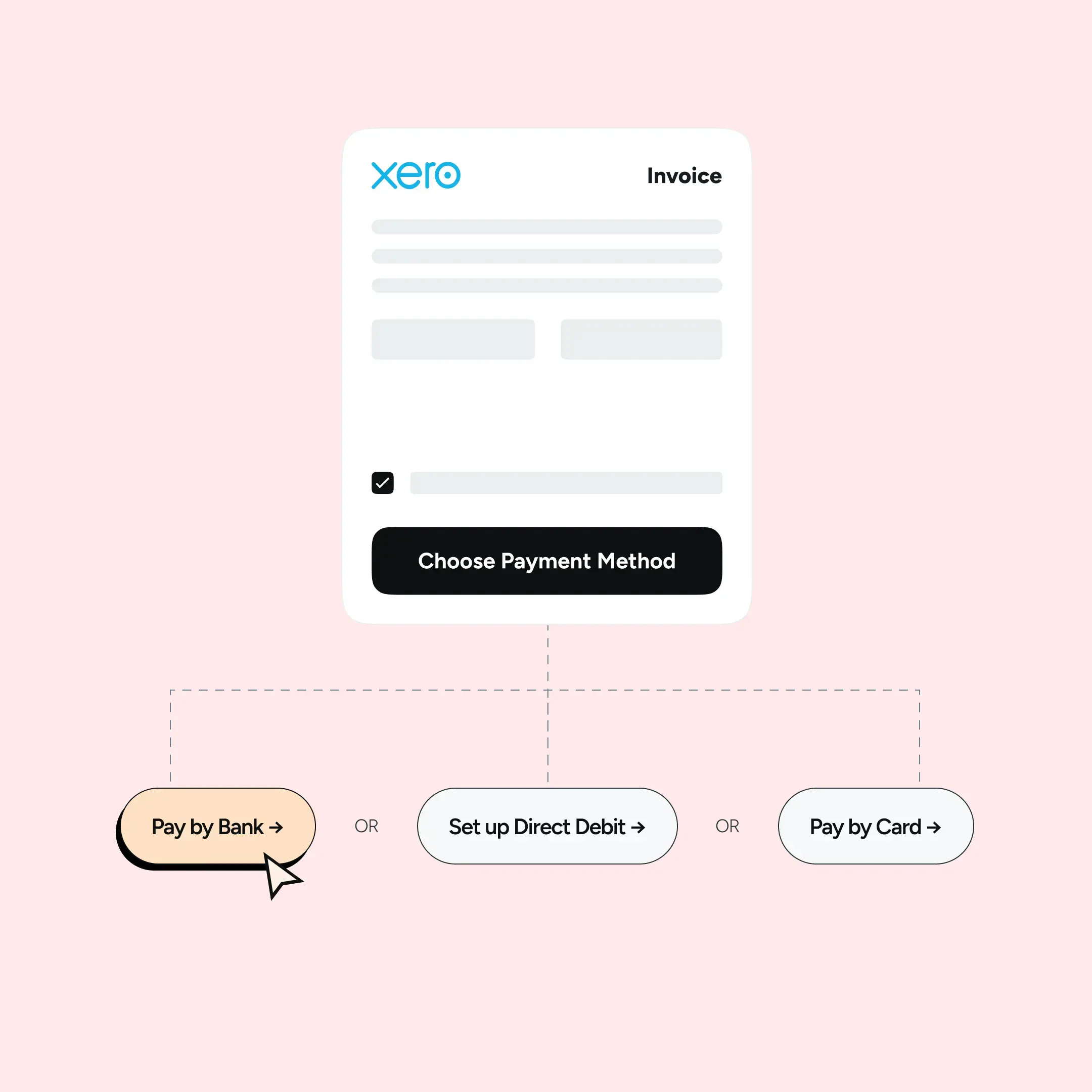
A bank transfer against an invoice costs nothing to process, but it arrives whenever the customer gets round to it and somebody has to match it off by hand. Taking a card over the phone gets you paid sooner and costs you a card fee plus the chargeback risk. Pay by Bank does both jobs: you send a payment link by email or SMS, the customer approves it in their own Bank app, and the money lands in seconds already matched to the invoice.
With Atoa that costs from 0.7% + VAT, and the Xero, QuickBooks and Sage connections mean the payment reconciles against the invoice without anyone rekeying it. For a business on thirty-day terms, getting paid the day the link is opened is usually worth more than the fee saving.
Where open banking fits
Open banking is the UK framework that lets a regulated provider, with the customer’s permission, initiate a payment straight from their bank account. For online checkout that means no card details to type or store, authorisation inside the customer’s own Bank app, lower fees because there is no card network in the chain, and settlement over Faster Payments in seconds. It is the method that has grown fastest since 2023 and the one most likely to change your cost base. Our open banking payments guide goes deeper.
Online Payment Methods for Subscriptions and Recurring Billing
None of the six methods above collects a payment that repeats on its own. For subscriptions, memberships and regular invoices, UK businesses have had two choices: Direct Debit, which is low cost but slow to set up and slow to settle, and card-on-file, which is faster but carries card fees and breaks every time a card expires or is replaced.
A third option arrived this year. Commercial Variable Recurring Payments went live on 2 June 2026 under the UK Payments Initiative, an industry-owned company funded by 31 organisations including Nationwide, NatWest Group, Mastercard, GoCardless and TrueLayer, with coverage aimed at around 75% of UK current accounts.
The first wave is restricted to utilities, telecoms and rail, regulated financial services, e-money account funding, government payments and registered charities. A second wave expected in late 2026 opens it to general ecommerce.
The customer approves a mandate once in their Bank app and you collect against it from then on, at the same low cost and with the same chargeback protection as a one-off Pay by Bank payment. Our Variable Recurring Payments page has the detail.
Adding these methods to your website
You do not need to build anything. Atoa plugs into the platforms most UK businesses already run: Shopify, WooCommerce and Magento at the checkout, and Xero, QuickBooks and Sage for invoice payments. The full list is on our integrations page. If you sell without a storefront, a payment link sent by SMS or email does the same job, and the online checkouts page shows how Pay by Bank and cards sit side by side for the customer.
What to check before you sign with a provider
Four questions settle most decisions. What is the total fee per transaction, including fixed pence, chargeback charges and monthly minimums? How does it integrate with your platform and how many steps does the customer face? Is the provider FCA-authorised and compliant with UK payment regulations? And when a payment fails or a customer disputes a charge, who picks up the phone?
Final Thoughts
Offer more than one way to pay, but choose them deliberately: cards for reach, a wallet for mobile, Pay by Bank for cost and speed, and PayPal or Pay Later where your customers expect them. Review the mix once a year against your fee statements. If you want to see what Pay by Bank and cards on one checkout would cost your business, get in touch.
FAQs
What are the most common online payment methods in the UK?
Debit and credit cards, digital wallets such as Apple Pay and Google Pay, Pay by Bank through open banking, PayPal and buy now, pay later. Cards remain the most used; Pay by Bank is the fastest growing.
How safe are online payments?
Card payments are protected by encryption and 3-D Secure; Pay by Bank is authorised inside the customer’s own Bank app with Face ID, fingerprint or passcode, so no card details are shared with the business. Choose a provider that is FCA-authorised and compliant with UK payment regulations.
How much do online payment methods cost a business?
Cards typically cost 1.5% to 3.4% all-in, PayPal around 2.9% plus a fixed fee, digital wallets the same as your card rate, and Pay by Bank with Atoa from 0.7% + VAT. Compare total cost per £100 of sales, not the headline rate.
Which online payment method is the lowest cost?
Pay by Bank. The payment moves directly between bank accounts, so there is no interchange and no scheme fee to pass on, which is why Atoa prices it from 0.7% + VAT against card rates that start at 1.5%. Direct bank transfer costs nothing at all, but it settles slowly and has to be reconciled by hand.
How quickly will my business receive the money?
Pay by Bank settles in seconds over Faster Payments. Card and wallet payments usually arrive in one to three working days. PayPal credits your PayPal balance instantly but withdrawing to your bank takes longer.
Which online payment methods have no chargebacks?
Pay by Bank. Because the customer authorises the payment in their own Bank app, it cannot be charged back in the way a card payment can. Card, wallet and PayPal payments all carry chargeback or dispute risk.
Can I add Pay by Bank to Shopify, WooCommerce or Magento?
Yes. Atoa has integrations for all three, plus Xero, QuickBooks and Sage for invoice payments. See the integrations page for the current list.
Sources
- UK Finance, UK Payment Markets Report
- Open Banking Limited, open banking adoption data
- Payment Systems Regulator, card-acquiring market review
- Financial Conduct Authority, regulation of buy now, pay later
- Statista, most common online payment types in the UK
SHARE ARTICLE
Share link copied!