
Ready to get started?
Easily integrate next-generation payments and financial data into any app. Build powerful products your customers love.
SHARE ARTICLE


 Share link copied!
Everyone loves a well-deserved tip!
Doesn’t it feel good to be rewarded for a job well done? And when you’ve experienced exceptional service, it feels great leaving a tip, too! But as a business owner, did you know you can quickly boost your earnings by 5-10% with tips?
At Atoa, we believe you should be rewarded for your hard work. It’s a sort of motto. That’s why we built a Tips feature into our payment flow, making it easier for your business to get a little cherry on top when customers pay you.
If you’ve already started taking payments on Atoa, it’s time to get that little extra with Tips…
How to get Atoa Tips
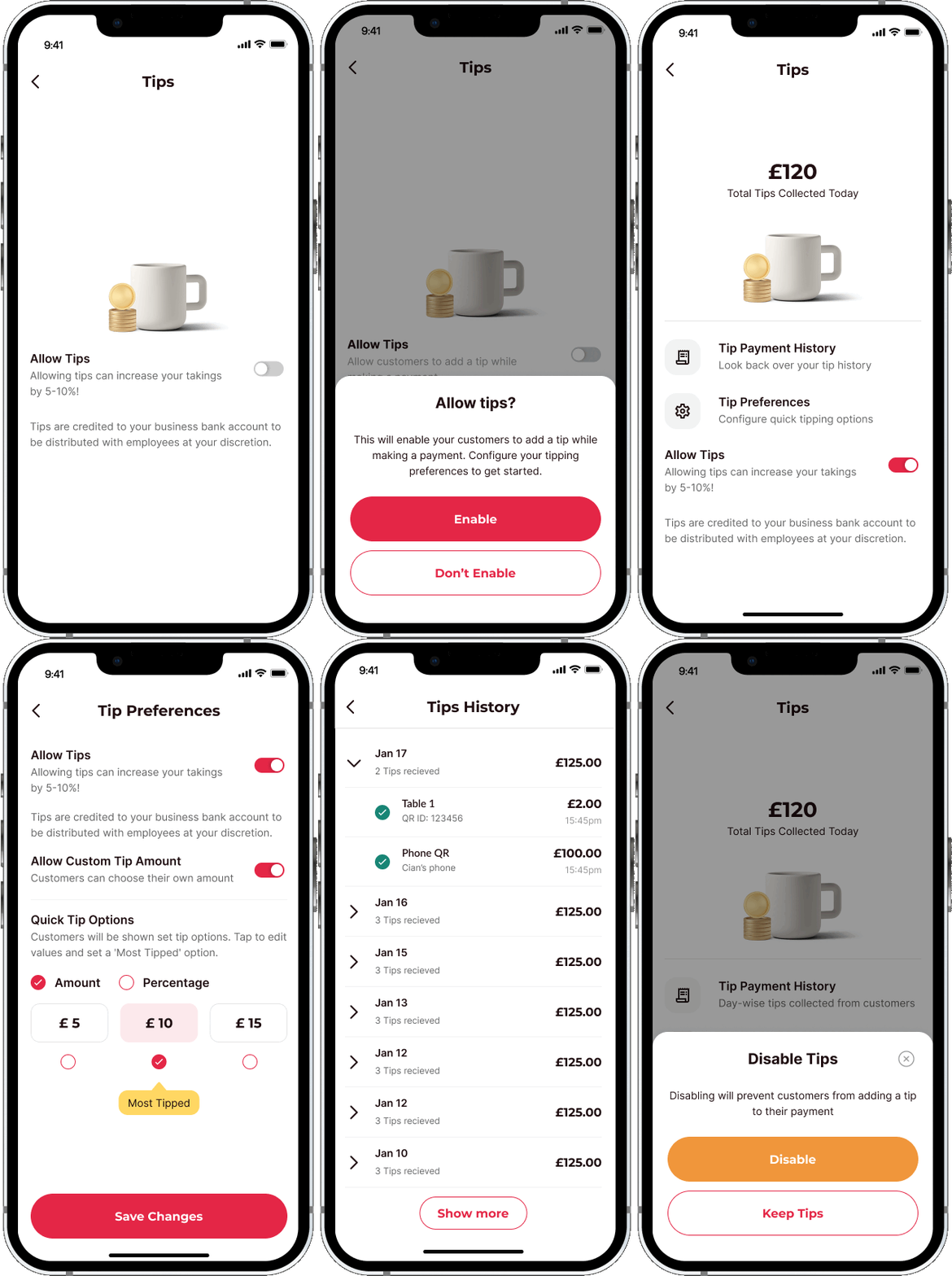
You will need to opt in first, so tap ‘Tips’ on the homepage of your Atoa app.
Slide the toggle to turn ‘Allow Tips’ on and tap the ‘Enable’ button on the pop-up.
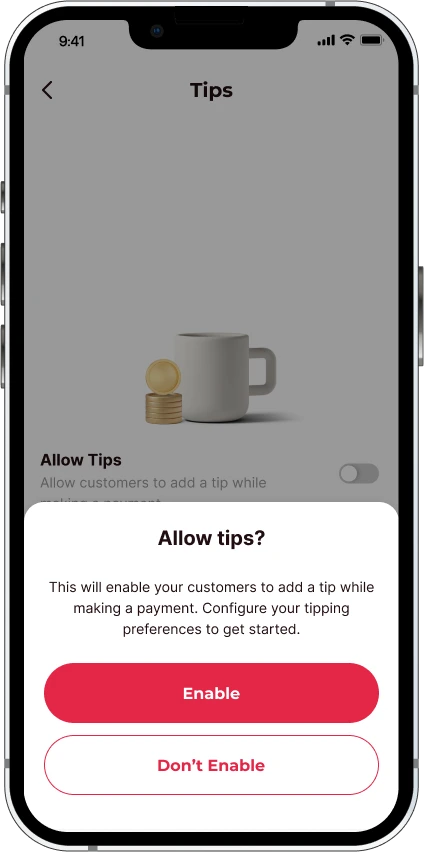
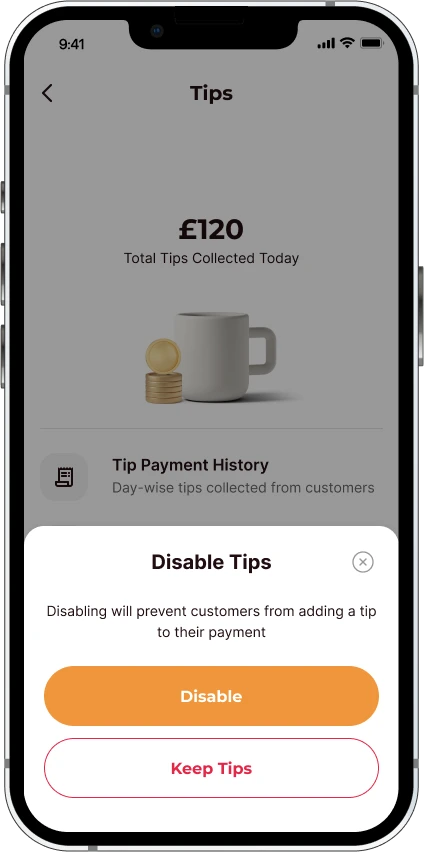
You can disable tips anytime by sliding the toggle back to off.
🔥 Hot tip: Make sure you add any members of staff who take payments as cashiers or supervisors on the Atoa app to increase your chances of hitting the big tip jackpot!
How to set Tips preferences
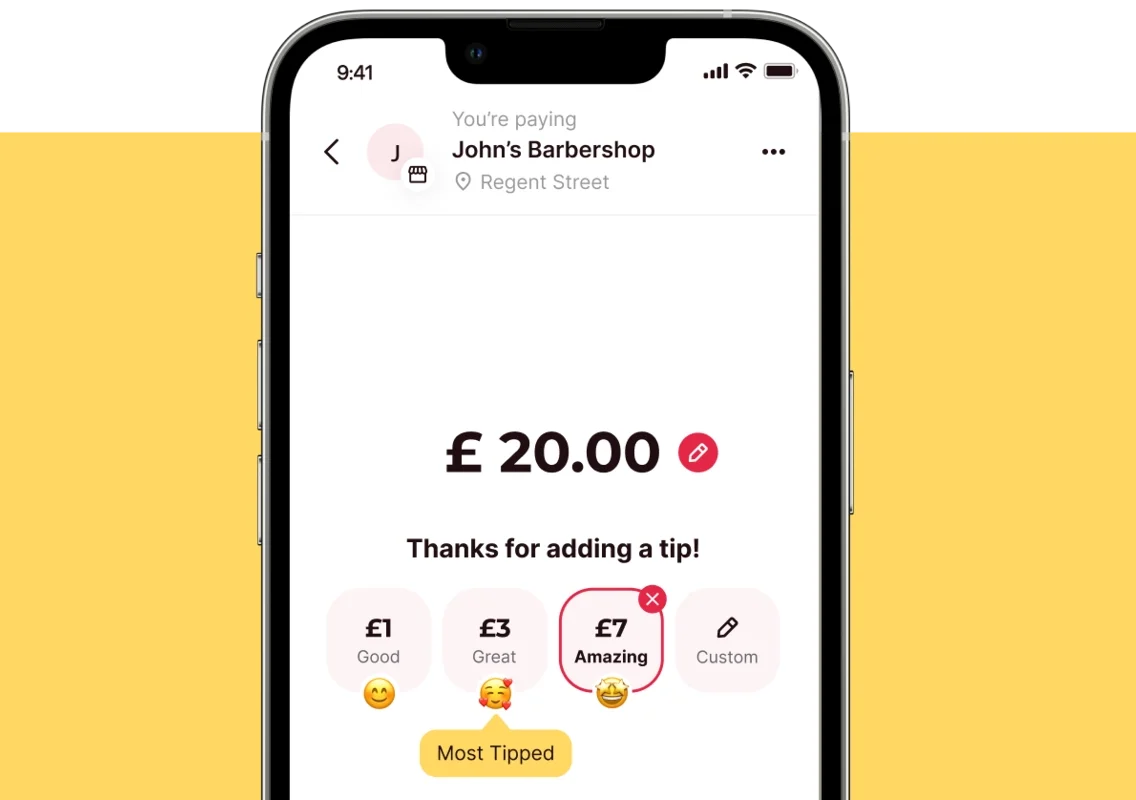
‘Quick Tips’ is the default option once your tips are enabled. Choose whether the customer sees a ‘Most Tipped’ value in either amount or percentage. You can edit these values to reflect your pricing range.
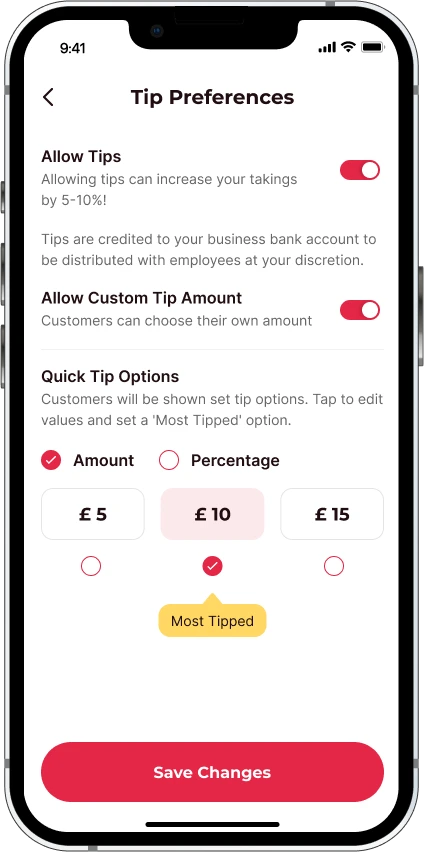
You can also slide the toggle below ‘Allow Custom Tip’ to let customers choose what gratuity they leave.
Make sure to save your changes!
Want to check your Tips history?
This one’s pretty self-explanatory…
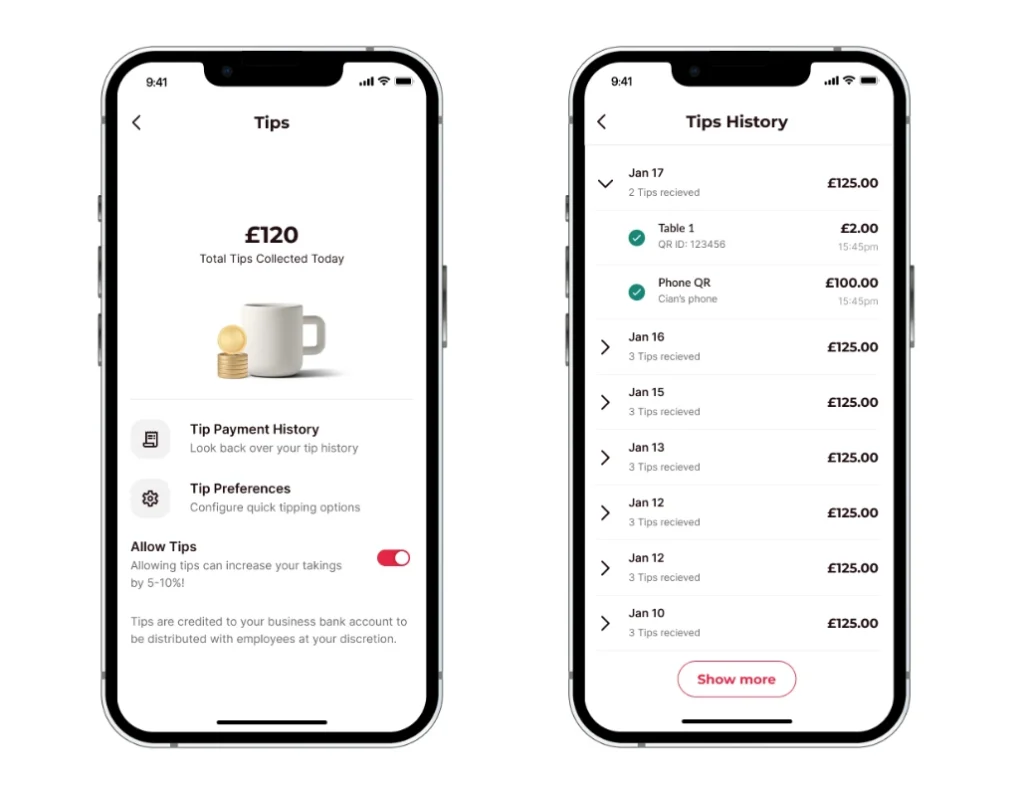
Once you’ve started taking tips, you can look over your daily totals here or tap the arrow to expand and see each transaction.
Atoa Tips are the best tips!
Unlike certain competitors (ahem!), we don’t charge you for taking Tips. We want you to get the most from your payments. Always.
So our pricing is, and always will be, transparent. We won’t charge you more than our maximum flat rate of 0.7%, billed monthly on your total amount of successful transactions.
Atoa remains a pay-as-you-earn service free from contracts, monthly charges or hidden fees.
You did the hard work. You deserve the tips!
FAQs
How do tips work with Atoa, and how can businesses make the most of them?
With Atoa, businesses can automatically request tips during payment so customers can show appreciation with just a tap. Whether you’re running a café or a salon, Atoa’s tip feature can seriously boost your revenue.
How can businesses nudge customers to leave tips when using Atoa?
Our payment flow subtly suggests leaving tips during checkout. Plus, providing top-notch service can naturally encourage customers to spread the love with a little extra tip.
Can businesses check their previous tips on Atoa?
Totally! Atoa lets businesses track and analyse data to spot tipping trends. This can help level up your gratuity game and keep the good times rolling. We’re also rolling out a feature that asks customers to leave a review after they pay but watch this space…
What’s next?
If you aren’t using Atoa yet, what are you waiting for? We’ve shown you how easy it is to earn extra money with our tips feature, low fees, and more. All you need to do now is make it happen!
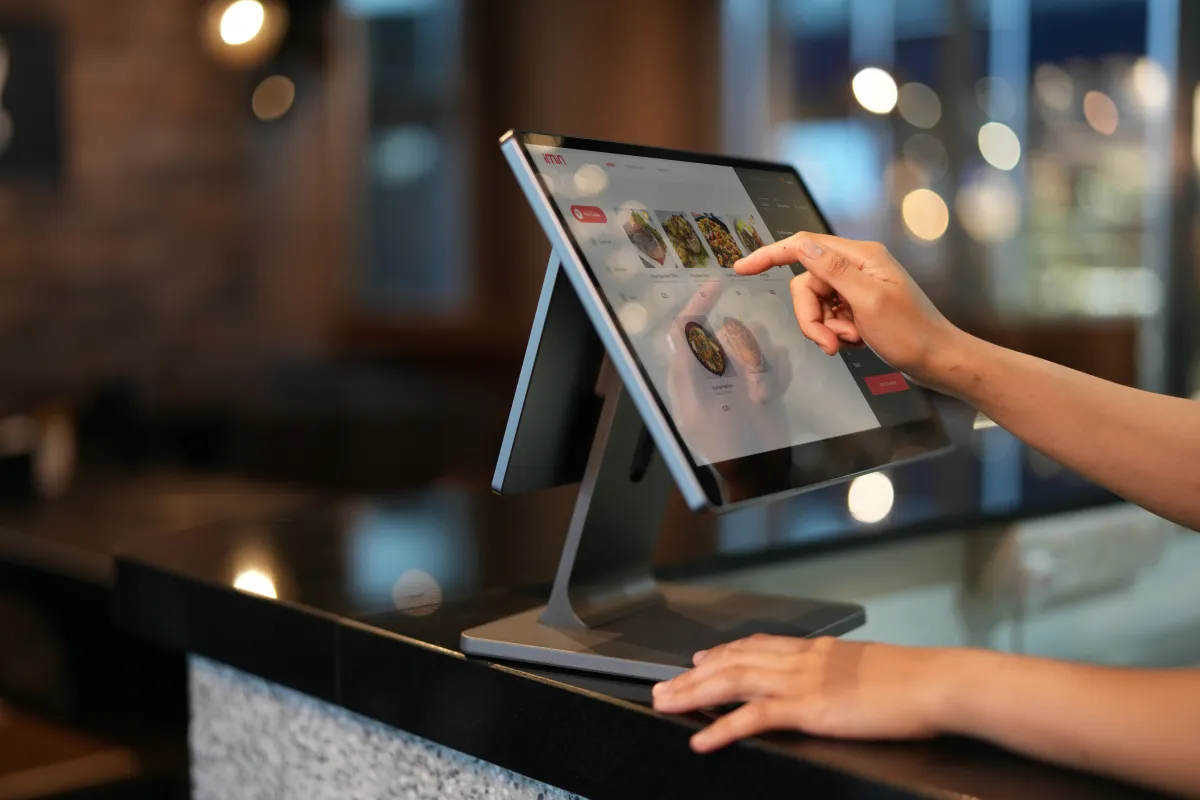
Tips are especially helpful for hospitality businesses, as customers can scan and pay quickly using Atoa with a bonus of subtle tip options.
Download the Atoa app today for 7 days worth of totally free transactions. After the introductory period passes, you’ll be charged a maximum of 0.7% per transaction.
Frequently asked Questions
How do I take tips on Atoa?
You take tips on Atoa by switching on the built-in Tips feature, which then prompts customers to add a gratuity on the payment screen. Once enabled, tips are collected alongside your instant bank payments in the same flow. Atoa does not charge extra for taking tips.
How do I turn on Tips in the Atoa app?
You turn on Tips by tapping Tips on the Atoa app homepage, sliding the Allow Tips toggle on and tapping Enable on the pop-up. You can switch it off at any time by sliding the toggle back. Adding your staff as cashiers or supervisors lets them take tips too.
Does Atoa charge extra for taking tips?
No, Atoa does not charge extra for taking tips. Your pricing stays at the same flat, capped rate billed monthly on your successful transactions, with no contract or hidden fees. You keep the full benefit of the gratuities your customers leave.
Can I set quick tip amounts?
Yes, Quick Tips is the default once tips are enabled, and you can show a “Most Tipped” value as either an amount or a percentage and edit it to suit your pricing. You can also allow custom tips so customers choose their own amount. Remember to save your changes.
Where can I view my tips history?
You view your tips history in the Tips section of the Atoa app, where you can see daily totals or expand to view each transaction. This helps you track tipping trends over time. It sits alongside the rest of your payment records in the app.
SHARE ARTICLE
Share link copied!