
Ready to get started?
Easily integrate next-generation payments and financial data into any app. Build powerful products your customers love.
SHARE ARTICLE


 Share link copied!
You’ve probably seen it already. A small QR code on the counter, a note on the receipt saying “scan to pay,” or a barista holding up their phone for you to scan. Point your camera, tap the link, done. No card machine, no cash, no waiting.
Scan to pay has quietly become part of everyday life in the UK, and businesses that haven’t looked into it yet are worth doing so. Here’s everything you need to know.
How does scan to pay work?
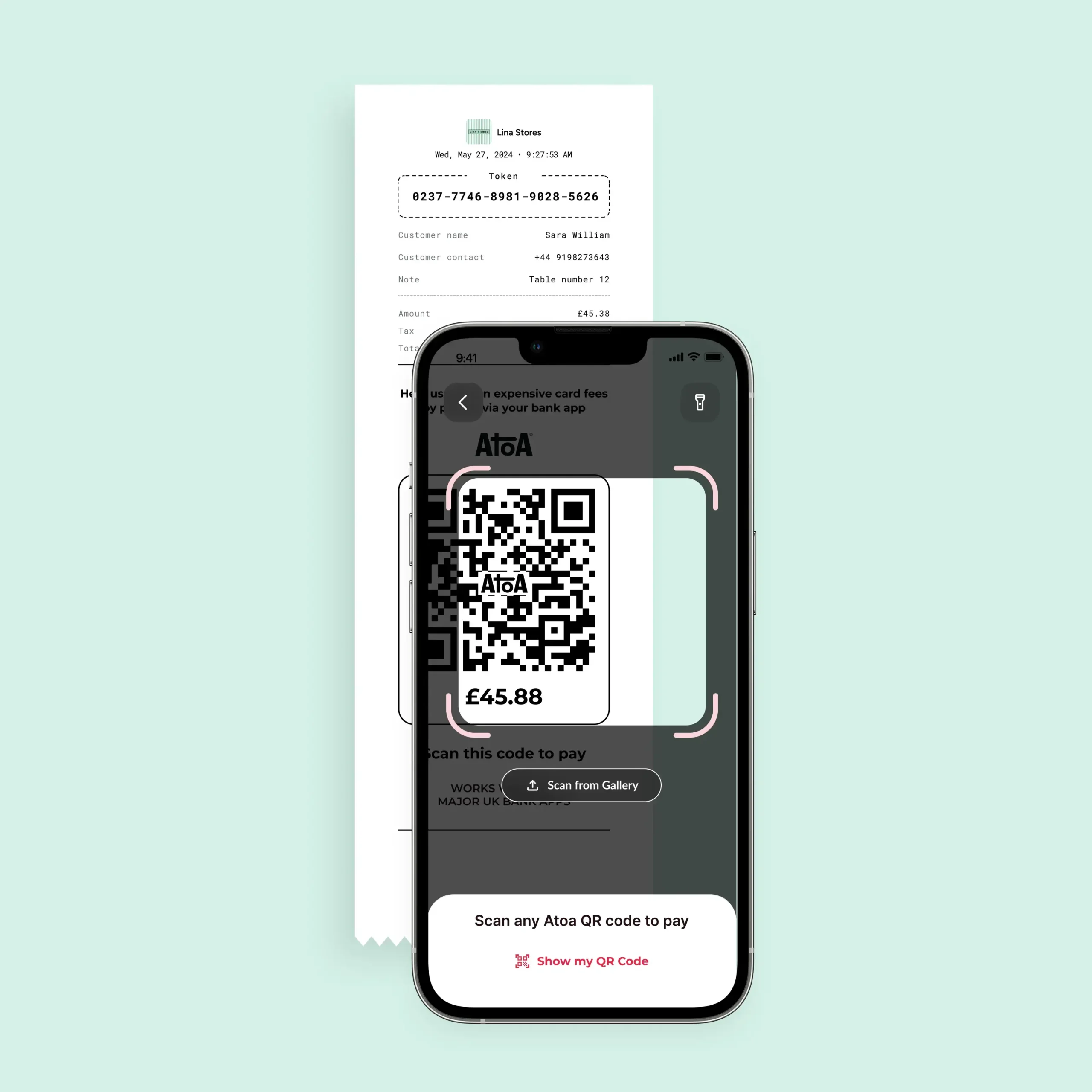
The business displays a payment QR code, either on a printed stand, a receipt, or a phone screen. The customer scans it using their phone’s built-in camera (no separate app needed), taps the notification that appears, and is taken to a payment page.
What happens next depends on the provider. Card-based QR flows open a web checkout where the customer pays by card or digital wallet. Open banking-based flows, like Atoa’s, skip that step entirely and send the customer straight to their Bank app to confirm the payment with a face or fingerprint scan.
No card details change hands, and funds arrive in the business account within seconds through the Faster Payments network.
Scan to pay vs contactless
Tap-to-pay relies on NFC technology and needs a payment terminal. Scan to pay needs no hardware at all. Both are contactless, but they work differently under the hood.
A printed code on a counter stand or a QR code on a phone screen is enough, which makes it useful for mobile businesses, events, or anywhere a card machine isn’t practical.
What about scanning a QR code to pay with Apple Pay?
Apple Pay works over NFC for in-person payments, so Apple Wallet doesn’t process payments through QR codes natively. But they can work together.
If a business displays a QR code linking to a checkout page that accepts Apple Pay, customers who scan it on their iPhone will see the Apple Pay button and can confirm with Face ID or Touch ID. Since iOS 18, there’s also a desktop version of this: a QR code appears on screen in non-Safari browsers, which customers scan with their iPhone to complete the Apple Pay checkout.
What are the risks?
The main one is quishing, where fraudsters place a fake QR sticker over a real one to redirect to a spoofed payment page. It’s worth checking the code looks untampered with before scanning, and previewing the URL that appears.
Our article on QR code payment scams covers this in full.
Open banking payments are also instant and final. Once confirmed in the Bank app, they can’t be reversed, so customers should check the amount first. Worth having a backup payment option ready for customers without mobile banking too.
When the code is from a legitimate source, scan to pay is genuinely secure. Payments authorised inside a customer’s own bank with biometric verification are hard to fraud.
Can your business accept scan to pay?
Yes, and it’s quick to set up. No specialist hardware needed.
With Pay by Bank through Atoa (AH-tuh-wah), businesses get a free QR code kit with a counter stand and stickers, and can generate codes on the go through the app. Atoa also supports card payments including Apple Pay and Google Pay, so everything sits in one place.
FAQs
How do I use scan to pay?
Open your phone camera, point it at the QR code, and tap the notification. You’ll land on a checkout page or your bank app to confirm.
How do I scan and pay with my phone?
No extra app needed. Your built-in camera does it. Tap the notification, follow the steps, confirm with your face or fingerprint.
Is scan to pay free?
Free for customers. Businesses pay a transaction fee. With open banking providers like Atoa, that’s 0.7% per transaction, typically up to 50% less than standard card processing fees.
What are the risks of scan to pay?
QR code fraud, instant payments that can’t be reversed, and needing a signal. Checking the code looks genuine and previewing the link before tapping covers most of it.
Do customers need an app to scan and pay?
No. Any modern smartphone camera works. For Atoa payments, customers use their existing Bank app to confirm. Nothing new to download.
Are scan to pay payments secure?
Yes. Open banking payments are authorised inside the customer’s own bank with biometric verification, and no card details are shared.
SHARE ARTICLE
Share link copied!