
Ready to get started?
Easily integrate next-generation payments and financial data into any app. Build powerful products your customers love.
SHARE ARTICLE


 Share link copied!
When you are responsible for a WooCommerce stack, payment fees tend to get overlooked until they start appearing in the monthly numbers. WooCommerce itself is free, but every gateway you connect takes a cut of every transaction and the real cost is usually higher than the rate you agreed to. Understanding exactly where that money goes, and where it can be reduced, is worth the time.
This guide breaks down how WooCommerce transaction fees work in 2026, what Stripe and other gateways actually charge, and where Pay by Bank fits into a lower-cost payment setup.
Does WooCommerce charge transaction fees?
No. WooCommerce core is a free, open-source software. It doesn’t process any payments or take a cut from your sales. Every fee your store pays comes from the gateway layer, whichever provider you have connected to handle the actual transaction. That distinction matters because it means the cost question is entirely about your gateway configuration, not the platform itself. For the wider view of the options, see our WooCommerce payment gateway guide.
The anatomy of a gateway fee
Most gateways charge a percentage of each transaction plus a small fixed fee per order. That headline number is only part of the picture. Depending on the provider, you may also pay:
- Monthly or account fees on some plans.
- Chargeback or dispute fees when a customer disputes a card payment.
- Currency conversion charges on international sales.
- The indirect cost of slow payouts, where funds sit for days before they reach you.
Don’t judge a payment gateway by its advertised rate alone. What really matters is what you’ll pay in total over a typical month.
WooCommerce Stripe fees
Stripe is the most widely used card gateway on WooCommerce, so its pricing is the benchmark most stores start from. As of 2026, directly from Stripe’s own pricing page:
- Standard UK cards: 1.5% + 20p per transaction
- Premium UK cards: 2.8% + 20p per transaction
- EU cards: 2.5% + 20p per transaction
- Dispute received fee: £20 per dispute, regardless of outcome
That dispute fee is worth paying attention to. Win or lose, each chargeback costs £20 on top of the transaction fees. And on a disputed order you also risk losing the sale and the goods. If you are weighing Stripe against other options, our guide to alternatives to Stripe for WooCommerce compares the trade-offs.
WooCommerce payment gateway fees compared
The following are indicative UK figures as of 2026. Confirm current rates with each provider before relying on them.
| Gateway | % fee | Chargeback fee | Payout speed |
|---|---|---|---|
| Stripe | 1.5% standard + 20p | £20 per dispute | On schedule (often 2-7 days) |
| PayPal | ~2.9% + 30p | Yes | To PayPal balance |
| Atoa Pay by Bank | From 0.7% + VAT | None | Instant for smaller businesses, next day for larger businesses |
| Atoa cards | From 1.3%* | Applies | Typically two days |
Stripe and PayPal figures are from their public UK pricing; confirm before relying on them. Atoa figures from Atoa pricing; reconcile card rate across pages.
*Card rates vary based on card type, business size and average transaction value. Business cards and American Express typically attract higher rates.
The hidden costs: chargebacks and slow payouts
The percentage plus fixed fee is what gets quoted. What often goes unnoticed until it hits the P&L:
Dispute fees
Stripe charges £20 per chargeback received, win or lose. On a disputed order you also risk losing the goods and the revenue. That exposure scales with card volume.
Payout lag
Card settlements typically take two to seven days depending on the gateway. For stores running on tight margins or managing stock purchasing, that float is a real operational constraint. Pay by Bank settles in seconds or the next day.
Card type uplift
Standard UK card rates are one thing, but premium cards and international cards attract higher rates. Sometimes, nearly double the standard rate. This could skew your average fee significantly depending on your customer base.
How Pay by Bank cuts WooCommerce payment costs
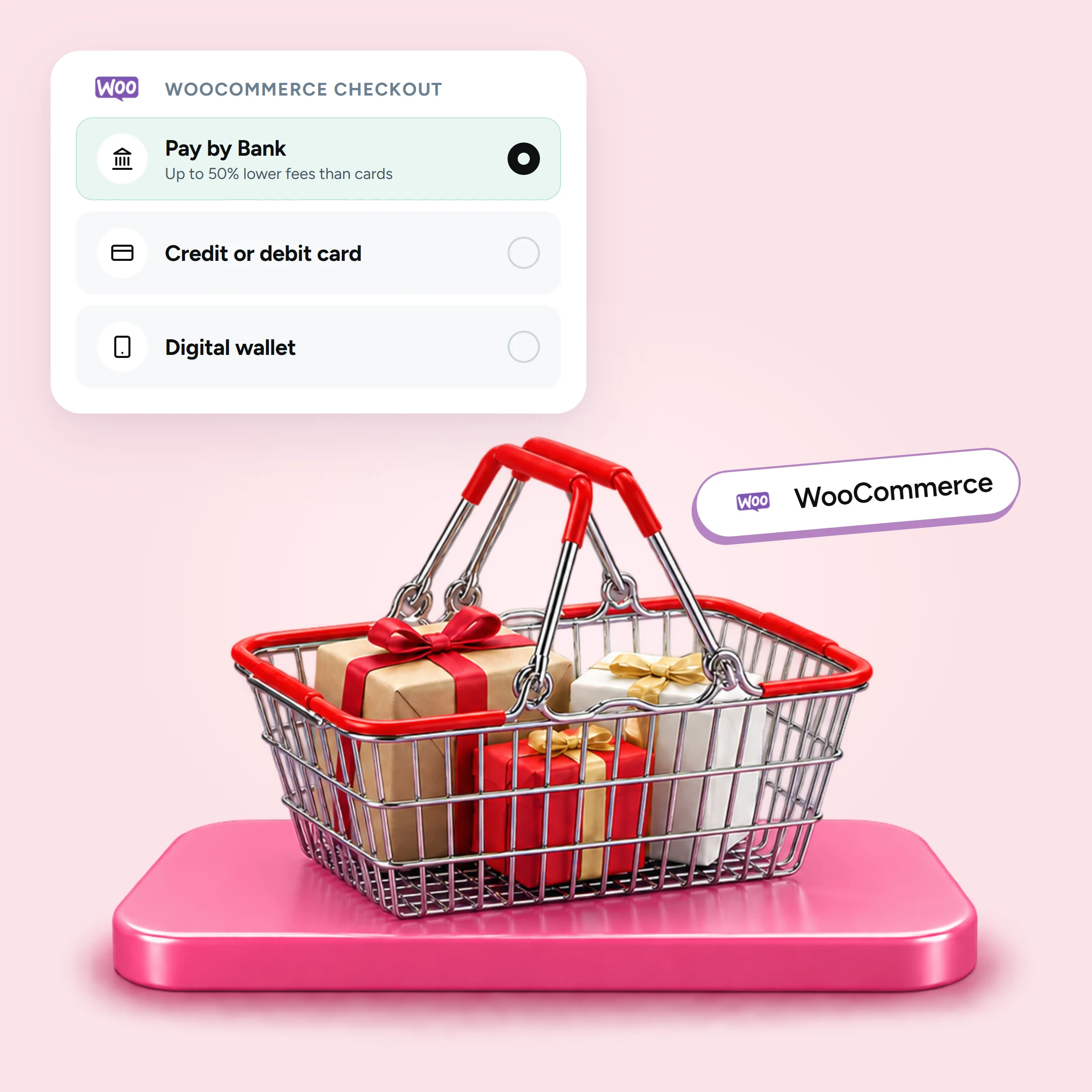
Adding Pay by Bank alongside your card option lets a good share of orders move to a lower-cost method, without turning away shoppers who prefer to pay by card.
Up to 50% lower fees versus cards
Pay by Bank with Atoa starts at 0.7% + VAT, up to 50% lower than typical card fees. On thin margins or larger baskets, where a percentage card fee climbs quickly, that difference protects your takings on every order.
No chargebacks on Pay by Bank
Because the customer approves the payment inside their own Bank app, there is no card-style chargeback or friendly-fraud dispute to absorb, so you keep the sale and skip the dispute fee.
Faster access to funds
Pay by Bank settles instantly or the next day through Faster Payments, rather than the days a card payout can take, which helps cash flow.
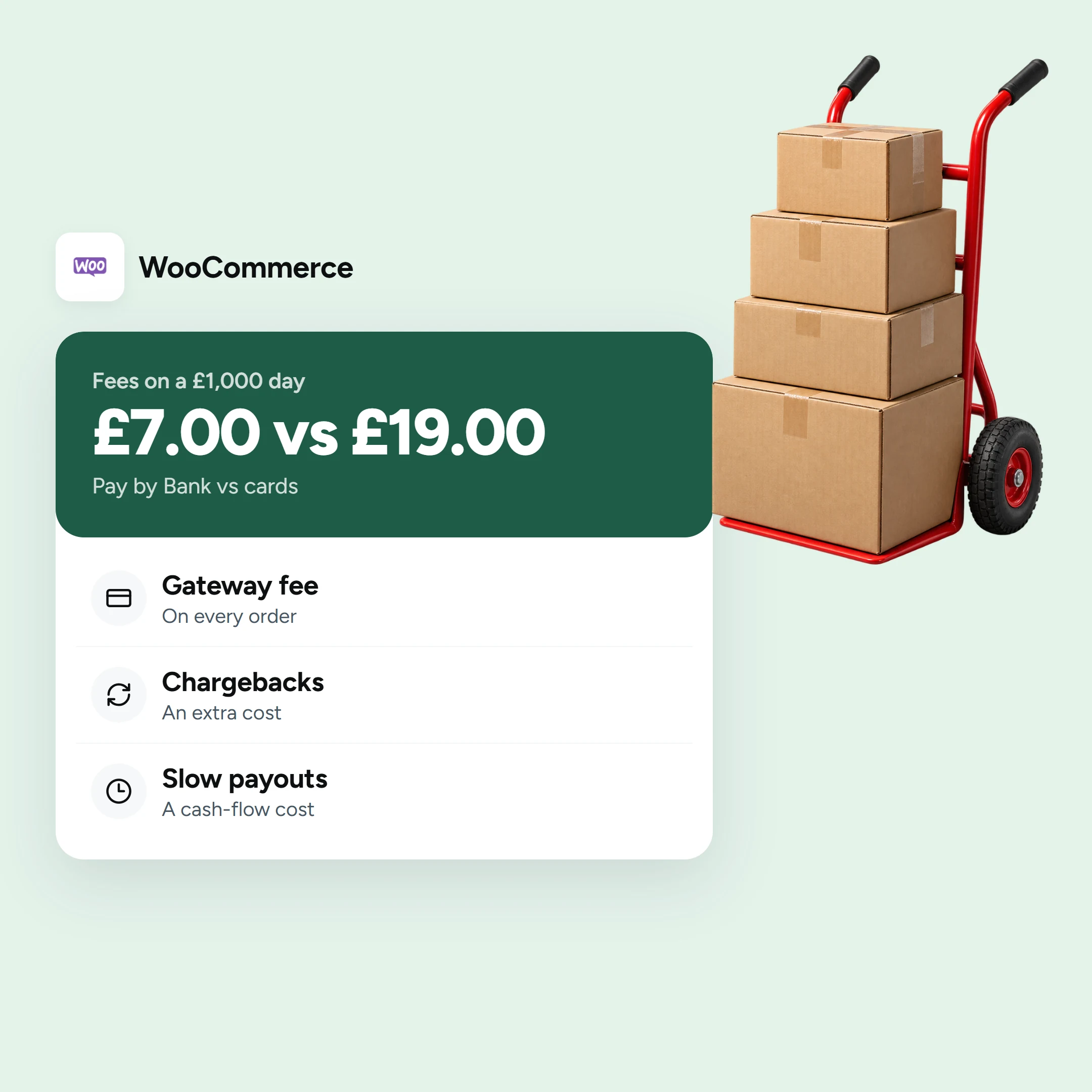
Worked example: Fees on a £1,000 day
Illustrative only, to show the shape of the saving. Say you take £1,000 of sales across 20 orders of £50.
- On cards at around 1.5% + 20p per order, that’s roughly £15 in percentage fees plus £4 in fixed fees, about £19, before any chargeback or currency costs.
- On Pay by Bank at 0.7% + VAT with no fixed fee, it comes up to £6 plus VAT, and no chargeback exposure.
That is a meaningful gap on a single quiet day, and it compounds across a month. Model it on your own order sizes and volumes, then see Atoa pricing or book a demo to calculate your savings. It also feeds well into your online checkout alongside the methods you already run, and you can set a consistent approach across your wider e-commerce payment solutions.
FAQs
Does WooCommerce charge transaction fees?
No. WooCommerce core is free, and the transaction fees come from the payment gateway you connect, not from WooCommerce itself.
What is the cheapest way to accept payments on WooCommerce?
Adding Pay by Bank alongside cards is the lowest-cost setup for most UK stores. Pay by Bank is up to 50% cheaper than standard card rates. Even if only a portion of your orders go through Pay by Bank, the saving adds up quickly, particularly on higher-value transactions where a card percentage fee climbs most. Plus, zero chargebacks.
Why are chargebacks so expensive?
A card chargeback can cost you the sale, the goods and a separate dispute fee, even on a genuine order. Bank-approved payments such as Pay by Bank cannot be charged back, so that cost disappears.
How does Pay by Bank reduce WooCommerce fees?
It uses account-to-account open banking instead of card rails. Fees are up to 50% lower than typical card rates, with no chargeback fees.
Can I offer both Pay by Bank and cards on WooCommerce?
Yes. Atoa’s free plugin adds Pay by Bank alongside Visa, Mastercard, Apple Pay, and Google Pay in a single integration, so customers choose at checkout and you benefit from a lower average fee.
Sources
- Stripe UK card pricing (rate, fixed fee, disputes): Stripe UK pricing.
- PayPal UK pricing: PayPal UK merchant fees.
- Atoa fees, settlement and no chargebacks on Pay by Bank: Atoa pricing; Atoa Pay by Bank.
SHARE ARTICLE
Share link copied!