
Ready to get started?
Easily integrate next-generation payments and financial data into any app. Build powerful products your customers love.
SHARE ARTICLE


 Share link copied!
Late payments are a common frustration for businesses of all sizes. They slow down cash flow, add extra admin, and create awkward conversations with clients. In fact, research shows UK SMEs are owed billions in late invoices every year.
If you’re using Xero to send invoices to your clients, there are some simple steps you can take to cut down on overdue payments and keep money flowing in on time.
1. Set clear payment terms upfront
Vague terms are an open invitation for delays. Make sure every invoice clearly states when payment is due, whether that’s 7, 14, or 30 days. Xero lets you set these defaults so you don’t have to add them manually each time. Clear terms set the right expectation from the start.
2. Use automated invoice reminders
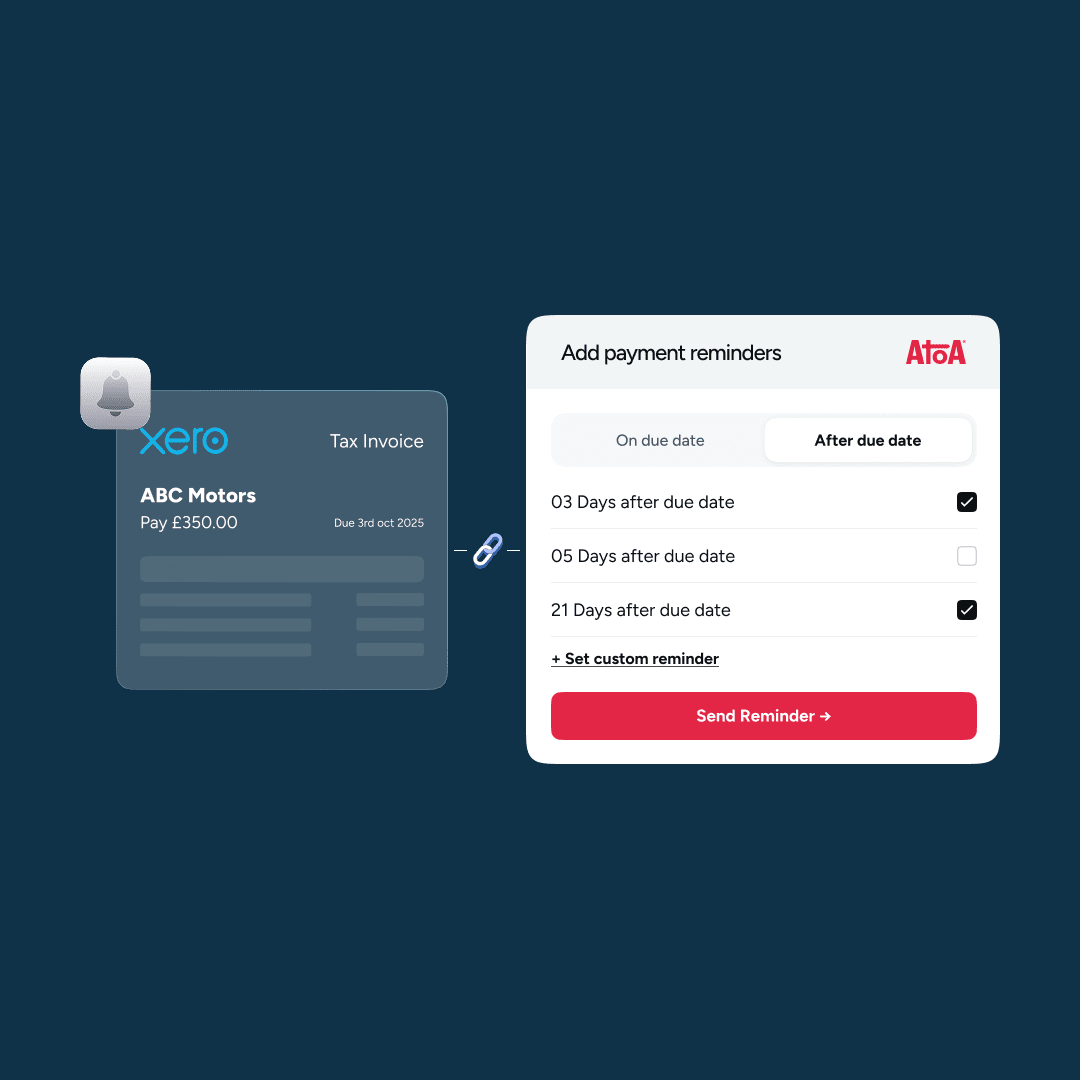
Chasing clients manually isn’t sustainable. Try using tools that provide you with automated reminders. Atoa’s reminder feature does the heavy lifting for you, automatically sending polite nudges after a payment is due. This keeps your cash flow moving and reduces the need for uncomfortable phone calls.
3. Make payments effortless for your clients
The harder it is to pay, the longer customers will put it off. Adding a Pay by Bank option to Xero with Atoa lets clients settle invoices instantly from their banking app. No cards, no manual transfers, no excuses. Just one tap and the invoice is paid. For the businesses using Atoa’s Xero integration, they often see faster payments simply because the process is so frictionless.
4. Reconcile payments quickly
Keeping your books up to date helps you spot late invoices before they become bigger problems. With Atoa’s Xero integration, every payment is automatically matched against its invoice. That means no more wasted hours on manual reconciliation and no risk of missed or misallocated payments.
5. Consider incentives or penalties
Depending on your industry, offering small discounts for early payment, or charging modest late fees, can encourage customers to prioritise your invoices. Whatever you choose, be transparent and consistent so clients know where they stand.
Final thoughts
Reducing late payments doesn’t mean hassling your clients. It’s about setting clear expectations, using automation where possible, and giving customers the easiest possible way to pay.
By combining Xero’s built-in tools with Atoa’s Pay by Bank integration, businesses can:
- Collect more invoices on time
- Save hours of reconciliation and chasing each month
- Maintain healthier, more predictable cash flow
Learn more about how Atoa helps UK businesses get paid faster with Xero or see how it works for yourself in the demo below.
How to Pay by Bank in Xero Invoices
Frequently asked Questions
How do I accept invoice payments in Xero?
You accept invoice payments in Xero by connecting a payment provider and adding an online payment option to your invoices so clients can pay as soon as they open them. This removes the friction of manual bank transfers. Atoa adds a Pay by Bank option to Xero invoices, letting clients settle in one tap from their banking app.
Can Xero accept credit card payments?
Yes, Xero can accept credit and debit card payments when you connect a card payment provider to your invoices. Cards are convenient but carry higher fees, typically charged as a percentage per transaction. Atoa offers cards from 1.3% and Pay by Bank from 0.7% plus VAT, so you can offer both and steer clients to the lower-fee option.
How do I reconcile payments in Xero?
You reconcile payments in Xero by matching each incoming payment to its invoice, which is far quicker when the payment tool feeds the data in automatically. Manual reconciliation is where many businesses lose hours each month. With Atoa’s Xero integration, every payment is automatically matched against its invoice, removing that admin.
Does Xero charge for online payments?
Xero does not take a cut of each payment itself; the cost depends on the payment provider you connect. Card processing usually costs more than account-to-account payments. Atoa’s Pay by Bank starts from 0.7% plus VAT, up to 50% lower than typical card fees, with no contract.
How can Pay by Bank reduce late Xero invoices?
Pay by Bank reduces late Xero invoices by letting clients settle instantly from their banking app in one tap, removing the delay of remembering card details or setting up a transfer. Payments settle usually in 3 to 6 seconds via Faster Payments and reconcile automatically. Combined with automated reminders, this helps you collect more invoices on time.
SHARE ARTICLE
Share link copied!