Create a payment link and get paid anywhere
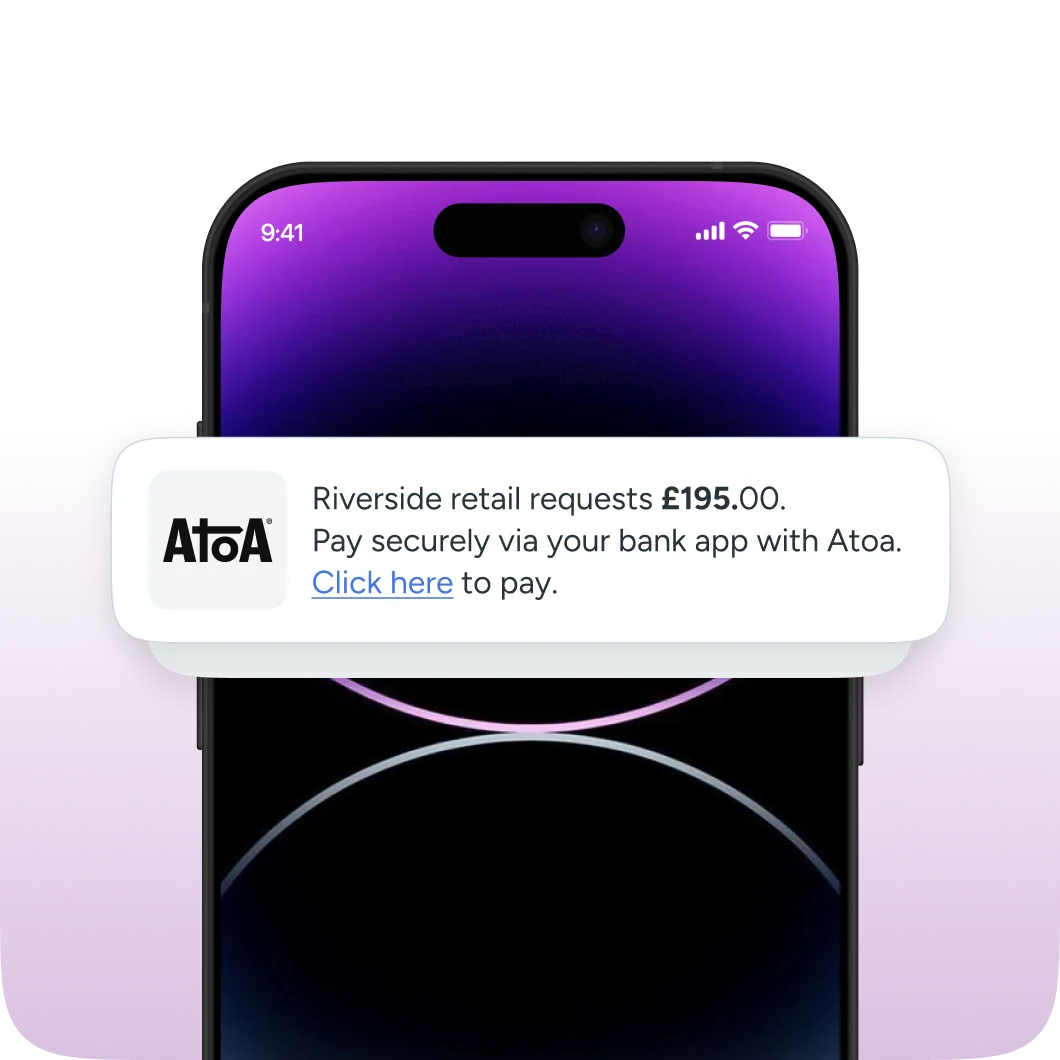
Phone showing an Atoa payment request: Riverside retail requests £195.00. Pay securely via your bank app with Atoa. Click here to pay.

What is a payment link?

Try Atoa

  • A simple and secure way to get paid

    A payment link, also called pay by link or a pay link, is a secure web link that lets a customer pay you online without a full checkout or card machine.

  • Create, share and get paid

    You set the amount, a payment link is created, and you send it to the customer. They tap it, land on a secure page and pay using Pay by Bank or card.

  • Accept payments anywhere

    Payment links are how businesses get paid for remote sales, deposits, phone enquiries and invoices, without ever reading out or handling card details.

Atoa allows customers to pay via all major bank apps and cards

Create a payment link in three steps

Try Atoa
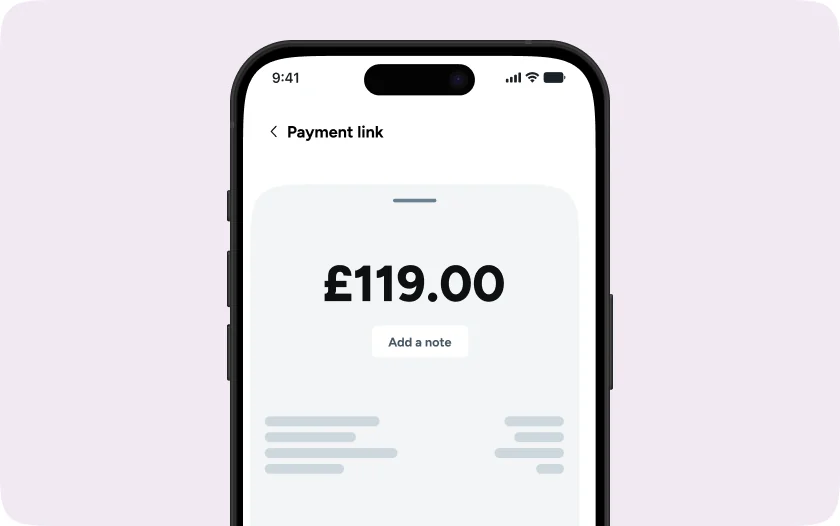
  1. Atoa app Payment link screen with £119.00 entered and an Add a note button
    Step 1

    Enter the amount

    In the Atoa app or dashboard, type the amount and add a note.

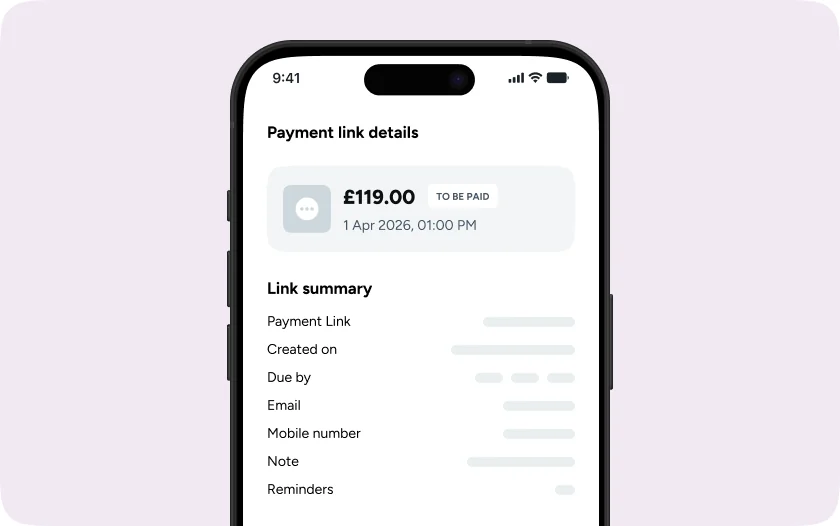
  2. Payment link details for £119.00, to be paid, with a link summary listing created on, due by, email, mobile number, note and reminders
    Step 2

    Create the link

    A secure payment link is generated instantly. No code and no developer needed.

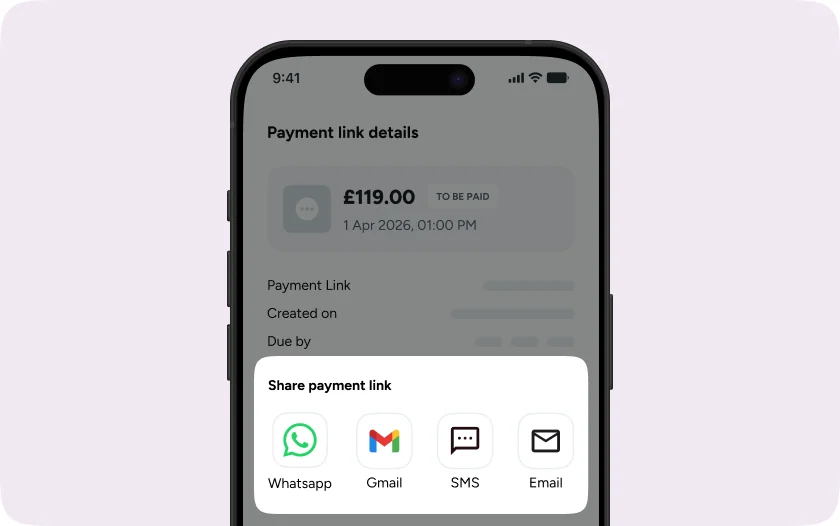
  3. Share payment link sheet offering WhatsApp, Gmail, SMS and Email
    Step 3

    Share it

    Send the link to your customer by their preferred channel.

Share it wherever your customers are

Book a demo


  • Payment link sent by SMS with the business sender name

    By SMS, using your business sender name so customers recognise it.

  • Payment link sent by email for an invoice or quote

    By email, for invoices, quotes and remote orders.

  • Payment link shared in a WhatsApp chat

    On WhatsApp or any messaging app, by pasting the link into the chat.

  • Invoice with a pay-now payment link

    On an invoice, so the invoice carries a pay-now link.

Give customers more ways to pay

Customers open the link and choose Pay by Bank or card. Pay by Bank is approved securely in their Bank app, while card payments support Apple Pay, Google Pay and all major cards.

Try Atoa

Payment links
built for your business

From single payment requests to bulk payment links, Atoa helps you get paid faster with Pay by Bank and card payments.

  • Lower payment fees

    Pay by Bank from 0.7% + 20p and cards from 1.3% + 20p*, plus VAT.

  • Trusted platform

    FCA Authorised Payment Institution (FRN 1007647), ISO 27001 and SOC 2 certified.

  • Branded payment links

    Add your logo and business name so customers instantly recognise your payment links.

  • Pay by Bank and card

    Give customers the choice of Pay by Bank or card. Pay by Bank comes with no chargebacks.

  • No-code setup

    Create and send payment links from the app or dashboard, with nothing to build or integrate.

  • Bulk payment links

    Create and send multiple payment links at once, making it easy to collect payments from large groups of customers.

  • Fast settlement

    Pay by Bank payments are confirmed in seconds and paid out instantly or the next working day, depending on your setup.

*Card rates vary based on card type, business size and average transaction value. Business cards and American Express typically attract higher rates.

A trusted partner
for businesses in the UK

Meet the companies that use our solution to power
growth and save more with every payment they accept

INCREDIBLE
“Since moving to Atoa, we save about £6,000 a month in transaction fees. 96% of our payments are now taken via Atoa.”

Jason Drury

Ponko Motor Company

LOWER FEES
“Amazing payment service. Increased our deposit payments by up to 265% in 1 month. Payments super cheap & instant”

Harminder Singh Bains

The Beauty Wardrobe

THE BEST
“Atoa is easy to use for both the customer and consultant. The payment arrives immediately for us… Highly recommended!”

Andy Price

Just Wills & Legal Services

ALL IN ONE
“It’s so nice to see that there are still systems on the market that are not ripping you off with their fees.”

Dora Maries

Holimed Beauty

SIMPLICITY
“We have been very impressed by the ease and simplicity of the payment links. Thanks Atoa, you make fee collection simple!”

Shepsi Haider

Family Law Cafe

SUPERB
“Superb piece of software to simplify taking payments for businesses.”

Malcolm Beattie

MB Motors

BRILLIANT CONCEPT
“Wish we used it earlier! Brilliant concept that is easy to use and saves the company so much on fees.”

Nicolas Colombo

LDN Physio

INSTANT CASH FLOW
“Improves cash flow and saved us over £2,000 a month in payment fees… would 110% recommend it to any other business.”

Lee Shayler

Richlee Motor Company

See how much you could save with Atoa

Book a short demo to see how Atoa helps businesses reduce fees, improve cash flow, and streamline payment operations.
  • Up to 50% lower payment fees
  • Faster access to funds
  • One platform for modern payments
icon-secure

ISO-27001 and SOC2 Secure

icon-flag

Security backed by UK banks

icon-shield

Authorised by the FCA

Book a demo with Atoa

All fields are required.

By submitting this form, you consent to our Privacy Policy.

or
Calendar Icon

Schedule a quick chat with our team!

Select your preferred time, and our team will give you a short demonstration of how Atoa can work for your business. Book a call

Book a call

Frequently asked questions

Have other queries?
Email us at hello@paywithatoa.co.uk
to get in touch.

What do payment links cost?

With Atoa, a Pay by Bank payment through a payment link costs from 0.7% + 20p and a card payment from 1.3% + 20p, plus VAT. Card rates vary by card type, business size and average transaction value.

Are payment links secure?

Yes. Each link opens a secure, Atoa-hosted payment page, so you never see or handle card details. Pay by Bank payments are approved in the customer’s Bank app.

How do I create a payment link?

Open the Atoa Business app or dashboard, go to the Links section, then select Create payment link. Enter the payment details and send the link by SMS or email.

How do I send a payment link?

Share your payment link by SMS, email or WhatsApp, or add it to an invoice. Customers simply open the link and pay using Pay by Bank or card.

How does pay by link work?

Pay by link works in three steps. You create a payment link for the amount, send it by SMS, email, WhatsApp or on an invoice, and your customer pays on a secure page with Pay by Bank or card. There’s no developer setup.