
Ready to get started?
Easily integrate next-generation payments and financial data into any app. Build powerful products your customers love.
SHARE ARTICLE


 Share link copied!
There are roughly 2.9 million invoices sent through QuickBooks Online (QBO) in the UK every month. That is a lot of businesses waiting to get paid. According to QuickBooks’ own 2025 UK Small Business Late Payments Report, three in five UK small businesses are grappling with unpaid invoices, with the average firm owed £21,400 at any given time. The payment method you attach to your invoices has a direct bearing on how quickly that money actually arrives.
The good news is that QuickBooks integrates with a range of accounting payment solutions beyond its default options. Here is how the main QuickBooks payment methods UK businesses are using in 2026 compare.
Atoa (Pay by Bank and cards)
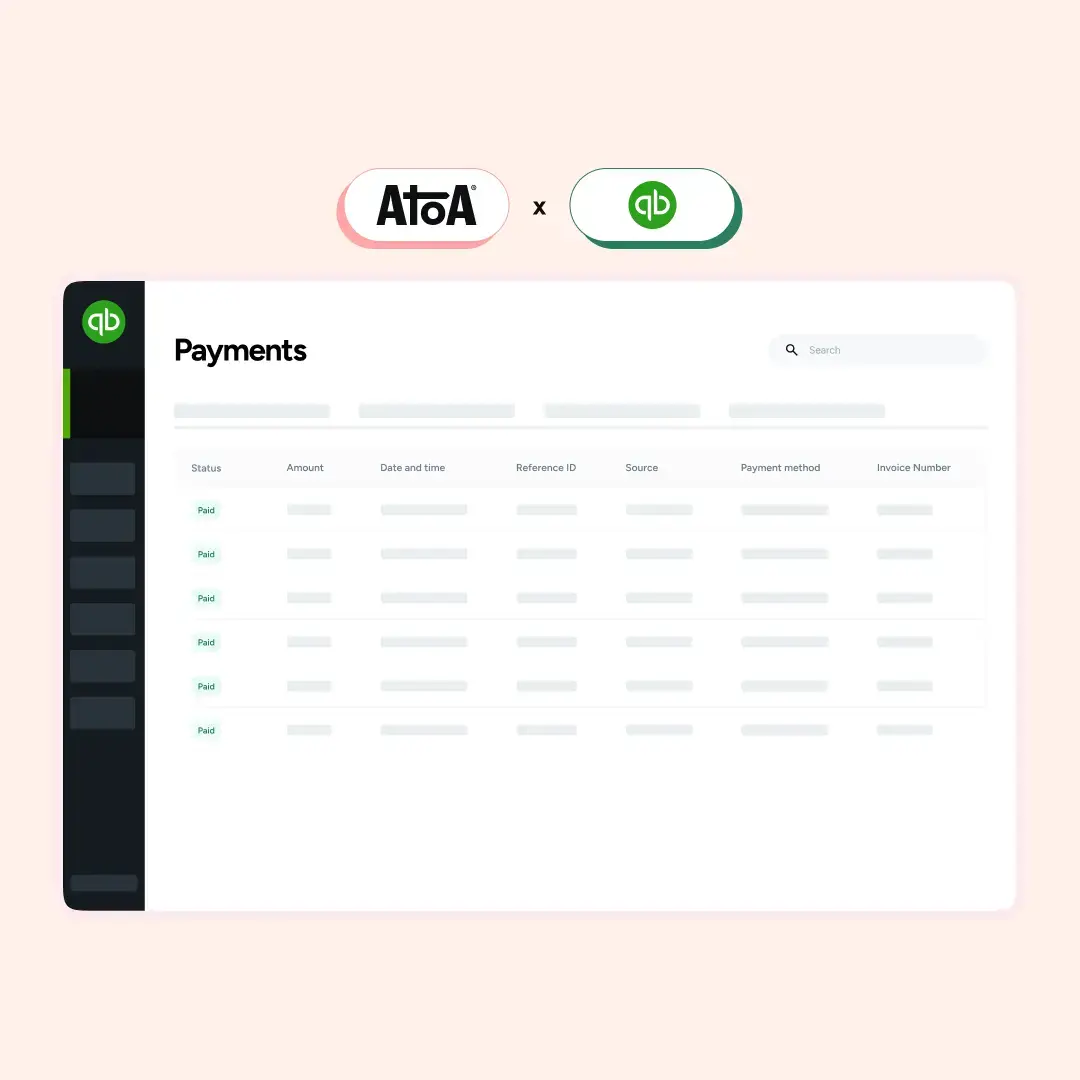
Atoa integrates directly with QuickBooks Online as a native QuickBooks payment gateway, embedding a payment link into every invoice. Clients can pay by card or directly from their UK banking app via Pay by Bank. When a payment is made, QuickBooks updates the invoice to be paid automatically and the transaction appears in your Atoa dashboard with QuickBooks flagged as the source. Setup takes minutes via Settings in the Atoa dashboard.
Pros:
- Pay by Bank bypasses card networks entirely, meaning lower fees and no chargeback risk
- Payments are confirmed inside the client’s banking app using Strong Customer Authentication
- Invoice payment automation is built in with no manual reconciliation needed
- Suits businesses of any size and requires no technical resource to set up
Cons:
- Pay by Bank requires customers to have a UK bank account and banking app
- Does not extend to international bank accounts, though card payments via the same link cover that gap
Adyen
Adyen has a formal partnership with Intuit, integrating its embedded payment services directly into QuickBooks Online. UK QuickBooks users get access to both pay by bank QuickBooks payments and card options, with settlement via Faster Payments. Invoice reconciliation is automated and real-time visibility of paid and unpaid invoices is built in. Adyen’s pricing follows a fixed processing fee of £0.11 per transaction, plus a fee determined by the payment method.
Pros:
- Deep, official QuickBooks payment integration with strong fraud tooling and enterprise-grade reliability
- Supports both Pay by Bank and card payments with fast settlement.
- Clear, itemised pricing with no setup or monthly fees
Cons:
- The total cost per transaction depends on payment method and volume, so it is worth getting a direct quote before committing
- Primarily designed for higher-volume merchants, so onboarding can be more involved than smaller businesses need
Stripe
Stripe is an established QuickBooks payment gateways for card-based invoice payments. It supports credit and debit cards, Apple Pay, and Google Pay, with payments syncing into QuickBooks automatically. UK domestic card fees sit at 1.5% + £0.20 for standard cards, rising to 1.9% + £0.20 for premium UK cards.
Pros:
- Reliable card processing with strong developer tools if you need customisation
- Supports credit and debit cards, Apple Pay, and Google Pay
Cons:
- Card-only, so there is no Pay by Bank option
- Fees accumulate quickly at higher invoice volumes, particularly when B2B clients pay with corporate cards, which attract the higher rate of 1.9% + £0.20
Wise Business
Wise connects to QuickBooks Online and syncs transactions from your Wise multi-currency accounts into QuickBooks bank feeds daily. Bills paid through Wise are automatically marked as paid in QuickBooks, with fees logged as bank charges for straightforward reconciliation.
Pros:
- Exceptional for businesses with international clients or suppliers
- Mid-market exchange rates and low FX fees make it a genuinely cost-effective accounting payment solution for cross-border cash flow
- Native QuickBooks setup is straightforward with daily automatic transaction syncing
Cons:
- Not a traditional invoice payment gateway; clients cannot click “Pay now” on a QuickBooks invoice through Wise
- Primarily a tool for managing outgoing payments, not collecting incoming ones
- QuickBooks’ multi-currency feature must be enabled to connect multiple Wise currency accounts, which requires a higher-tier plan
Checkout.com
Checkout.com is a high-performance processor. Enterprise businesses globally, that are strong on fraud prevention, multi-currency support, and payment analytics use this platform.
Pros:
- Strong fraud protection built in
- Supports a wide range of international payment methods
- Built for businesses processing large volumes across multiple markets
Cons:
- No native QuickBooks integration – connecting the two requires a third-party tool or custom development work
- Not the right fit for most UK SMBs without technical resource available
The bottom line
QuickBooks does a good job of organising invoices. However, getting paid still depends on what sits behind the “Pay now” button. The difference between a card-heavy setup and a mixed payment approach is not just a few percentage points in fees. It shows up in how quickly invoices are settled, how often payments fail, and how much time is spent chasing or reconciling them.
For UK businesses, the direction is becoming clearer. Card payments remain useful, especially for familiarity, but relying on them alone is expensive at scale. Pay by Bank is starting to play a more central role, particularly for B2B invoices where values are higher and speed matters more.
The best setups are not about choosing one provider over another. They are about building a payment mix that reflects how your customers actually pay, while keeping costs predictable and operations simple.
If you want to see how this works in practice, book a demo with the Atoa team and explore how Pay by Bank can fit into your QuickBooks workflow.
Sources: roughly 2.9 million invoices, QuickBooks’ own 2025 UK Small Business Late Payments Report
SHARE ARTICLE
Share link copied!