
Ready to get started?
Easily integrate next-generation payments and financial data into any app. Build powerful products your customers love.
SHARE ARTICLE


 Share link copied!
A Shopify payment gateway is the provider that takes the customer’s money at checkout and passes it to your bank account. There are two kinds of payment methods on Shopify. The Shopify Payments, which is built in, and everything else, which Shopify calls a third-party provider. The difference is not just features. Shopify charges a transaction fee on every order that goes through a third-party gateway, even if Shopify Payments is switched on alongside it, and that fee is 2% on the Basic plan, 1% on Grow, 0.6% on Advanced and 0.2% on Plus (Shopify Help Center). Any comparison of Shopify payment gateways for a UK store that leaves that fee out is comparing the wrong numbers, which is what most of them do.
This blog compares the best shopify payment gateway providers and services relevant to UK Shopify stores. It covers what each offers, how their fees work and what a store processing £100,000 a month could pay.
What Is a Shopify Payment Gateway?
A Shopify payment gateway handles the payment when a customer buys something from an online store. It sends the transaction for authorisation, processes the payment and helps the merchant receive the funds.
Shopify Payments is built into the platform. Merchants can also add supported payment providers or alternative payment methods, depending on their country and business requirements.
The main difference is how Shopify charges for them.
Payments processed through Shopify Payments don’t attract an additional third-party transaction fee. Most third-party gateways do, even when Shopify Payments remains active on the store.
For UK merchants, Shopify’s published third-party transaction fees are:
| Shopify plan | Additional third-party transaction fee |
|---|---|
| Basic | 2% |
| Grow | 1% |
| Advanced | 0.6% |
| Plus | 0.2% |
These fees are separate from the payment provider’s own processing charges.
Best Shopify Payment Gateways in the UK: Comparison
than as a separately available gateway.
| Payment provider | Published UK online rate | Shopify third-party fee | Payouts | Best suited to |
|---|---|---|---|---|
| Shopify Payments | From 2% + 25p on Basic, falling to 1.3% + 25p on Plus for standard cards | None | Standard UK payout schedule | Stores wanting built-in card processing |
| Atoa Pay by Bank | From 0.7% + 20p, excluding VAT | Confirm applicability for the specific integration | Within 48 hours, according to Atoa | UK stores offering bank payments alongside cards |
| Stripe | Separate gateway unavailable to UK Shopify stores | Not applicable | Through Shopify Payments for Shopify orders | Businesses also using Stripe outside Shopify |
| PayPal | 2.9% + 30p for the cited PayPal Checkout rate | Exempt when Shopify Payments is the primary provider | PayPal balance, followed by bank withdrawal | Customers who prefer PayPal |
| Adyen | Interchange++ pricing with additional processing and method fees | Generally applies | Depends on merchant agreement | Larger international businesses |
The fees depend on the payment method, card type, Shopify plan and merchant agreement. The Atoa fee treatment needs confirmation before a definitive total-cost comparison can be published.
2. Atoa (Pay by Bank)
Atoa gives Shopify customers the option to pay directly from their bank accounts.
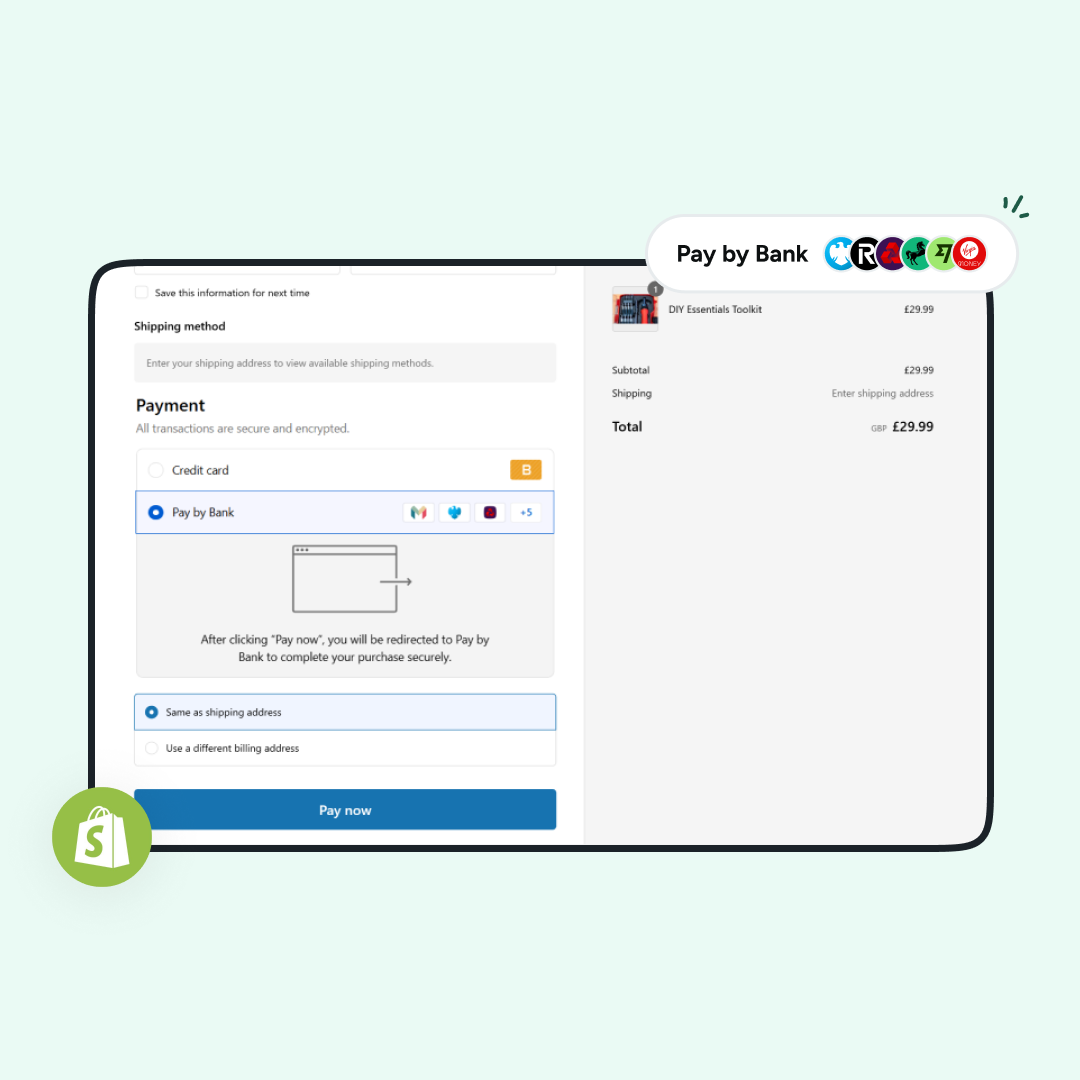
At checkout, the customer chooses Pay by Bank, selects their bank and approves the payment through their banking app. They don’t need to enter card details.
The payment uses bank payment infrastructure rather than card networks. That means card interchange and scheme fees don’t apply.
Atoa’s published online Pay by Bank rate starts from 0.7% + 20p, excluding VAT. The provider states that funds are paid out to the merchant’s business account within 48 hours.
Pay by Bank payments also don’t go through the card-scheme chargeback process. Customers can still request refunds, and other applicable payment disputes may arise.
For Shopify merchants, Atoa provides a way to offer bank payments alongside existing card options. Supported transactions can be reflected in Shopify orders, reducing the need to manage payment records separately.
Atoa also offers a card payment app, with online card processing starting from 1.3% + 20p, excluding VAT.
The important point when comparing costs is whether Shopify applies an additional transaction fee to the particular Atoa payment integration. Shopify’s public guidance generally applies the fee to third-party and alternative gateways, so merchants should confirm the treatment before calculating potential savings.
3. Stripe
Stripe is a familiar name in online payments, but UK Shopify merchants cannot activate it as a separate payment gateway.
That’s because Shopify Payments uses Stripe as its banking partner. In countries where Shopify Payments is available, including the UK, Shopify doesn’t offer standalone Stripe as another gateway.
This distinction is worth knowing when comparing Shopify payment providers. Stripe may appear in general lists of ecommerce gateways, but its direct payment integration isn’t an alternative UK Shopify merchants can simply switch on.
Stripe remains relevant to businesses that also take payments outside Shopify.
For example, a company selling through a Shopify store and a separate custom-built application may use Shopify Payments for the store and Stripe for payments through the application.
Stripe’s published UK online card rates for its own payment service include:
| Card type | Published processing rate |
|---|---|
| Standard UK cards | 1.5% + 20p |
| Premium UK cards | 2.8% + 20p |
| EEA cards | 2.5% + 20p |
| Other international cards | 3.15% + 20p |
Currency conversion may carry an additional charge.
These are Stripe’s direct processing rates, not alternative rates that UK merchants can apply to their Shopify checkout.
4. PayPal
PayPal is available as an additional payment option on Shopify.
Some customers prefer paying through their PayPal accounts rather than entering card details at checkout. For merchants, it offers another way to accept payments without replacing the main card processing setup.
PayPal’s charges depend on the type of transaction. The UK rates in the comparison include 2.9% + 30p for the specified PayPal Checkout transactions and 1.2% + 30p for eligible guest card payments.
The exact rate should be checked against the merchant’s PayPal agreement and the payment product being used.
One difference matters particularly on Shopify: when Shopify Payments is the store’s primary payment provider, eligible PayPal transactions are exempt from Shopify’s additional third-party transaction fee.
Funds received through PayPal are credited to the merchant’s PayPal balance, with bank withdrawal times depending on the withdrawal method.
PayPal may therefore be useful as an additional checkout option for stores whose customers already use it.
5. Adyen
Adyen provides payment processing for businesses selling across multiple countries and channels.
Unlike providers with a simple flat transaction rate, Adyen generally uses a combination of processing charges and payment-method fees.
For Visa and Mastercard, its pricing can include Interchange++ costs and an additional method fee. Other payment methods have their own charges.
This makes the final rate dependent on the card mix, transaction location and merchant agreement.
Adyen also supports payments across online, in-app and physical retail environments, with reporting and risk-management tools for larger operations.
On Shopify, access to Adyen is subject to eligibility and approval requirements. It isn’t necessarily available as a standard self-service gateway for every merchant.
For a UK business selling mainly to domestic customers, its pricing and setup may require more evaluation than a built-in payment service. Businesses operating internationally may have different requirements, particularly when they want payment reporting across several markets.
How to Add a Payment Gateway to Shopify
Payment methods are managed from the Payments section of Shopify admin.
The setup depends on whether the merchant is activating Shopify Payments or installing another supported payment method.
- Open Shopify admin and go to Settings → Payments.
- To use Shopify Payments, activate the service and complete the required business and bank account verification.
- For an additional payment method, find the supported provider or install its Shopify payment app, then follow the activation instructions.
- Configure PayPal separately if it isn’t already connected to the correct business account.
- Place a test order using the available testing method to check the checkout experience and order status.
Before going live, check whether the payment method appears correctly at checkout, how refunds are handled and whether the transaction is recorded in Shopify.
It’s also worth confirming whether the payment method adds Shopify transaction fees and whether those fees are returned if an order is refunded.
How to Choose a Shopify Payment Gateway
The cheapest published rate isn’t always the lowest-cost option for a particular store.
A merchant selling £20 accessories has a different payment profile from one selling £500 furniture orders. A fixed 20p or 30p fee has a greater effect on smaller baskets, while percentage fees become more significant as order values rise.
Start with the payment methods customers use. Card payments are familiar, but some customers prefer PayPal or bank payments. Offering additional methods can give customers more choice, provided the checkout remains straightforward.
Next, calculate the complete processing cost. Include the provider’s percentage and fixed fees, any additional Shopify transaction charge, and relevant international or currency conversion fees.
Payout timing also matters. A business paying suppliers frequently may need to know how long funds take to reach its bank account.
Finally, check how the provider handles refunds, disputes and order records. These can create extra administrative work if the payment service doesn’t fit the store’s existing processes.
The right arrangement may involve more than one payment method. The aim is to give customers suitable ways to pay while keeping the fees and day-to-day administration manageable.
Frequently Asked Question
What is the best payment gateway for Shopify in the UK?
For cards, Shopify Payments, because it carries no Shopify transaction fee. For lower fees and no chargebacks on UK orders, add Atoa Pay by Bank alongside it at 0.7% + 20p ex VAT.
Does Shopify charge a fee for using a third-party payment gateway?
Yes. Shopify charges 2% on Basic, 1% on Grow, 0.6% on Advanced and 0.2% on Plus on orders processed through most third-party gateways, and the fee applies even when Shopify Payments is active. PayPal, manual payment methods and Atoa Pay by Bank are not charged this fee.
How long do Shopify Payments payouts take in the UK?
The minimum settlement time is three business days after the order, and new accounts start on a longer schedule. Your bank then takes one to three business days to post the deposit. Atoa Pay by Bank pays out to your business account within 48 hours.
Is there a free payment provider for Shopify?
No gateway is free of transaction fees. Shopify Payments has no monthly or setup fee but charges per transaction, Stripe and Atoa have no monthly fee for their Shopify apps, and every third-party provider also attracts Shopify’s plan-based transaction fee.
Do Pay by Bank payments on Shopify have chargebacks?
No. A Pay by Bank payment is approved by the customer in their own Bank app and moves account to account, so there is no card scheme to run a chargeback. Customers can still request a refund, which you issue from the Atoa dashboard and which syncs to the Shopify order.
Sources
- Shopify, UK pricing (plan prices, online card rates, third-party transaction fees), 25 September 2026
- Shopify Help Center, Third-party payment providers
- Shopify Help Center, Payouts and settlement times in the United Kingdom
- Stripe, UK pricing
- PayPal, UK merchant fees
- Adyen, Pricing
- Atoa, Shopify and pricing pages
SHARE ARTICLE
Share link copied!